Get your live weather forecast at a glance.
×
![]()
Setup Mode
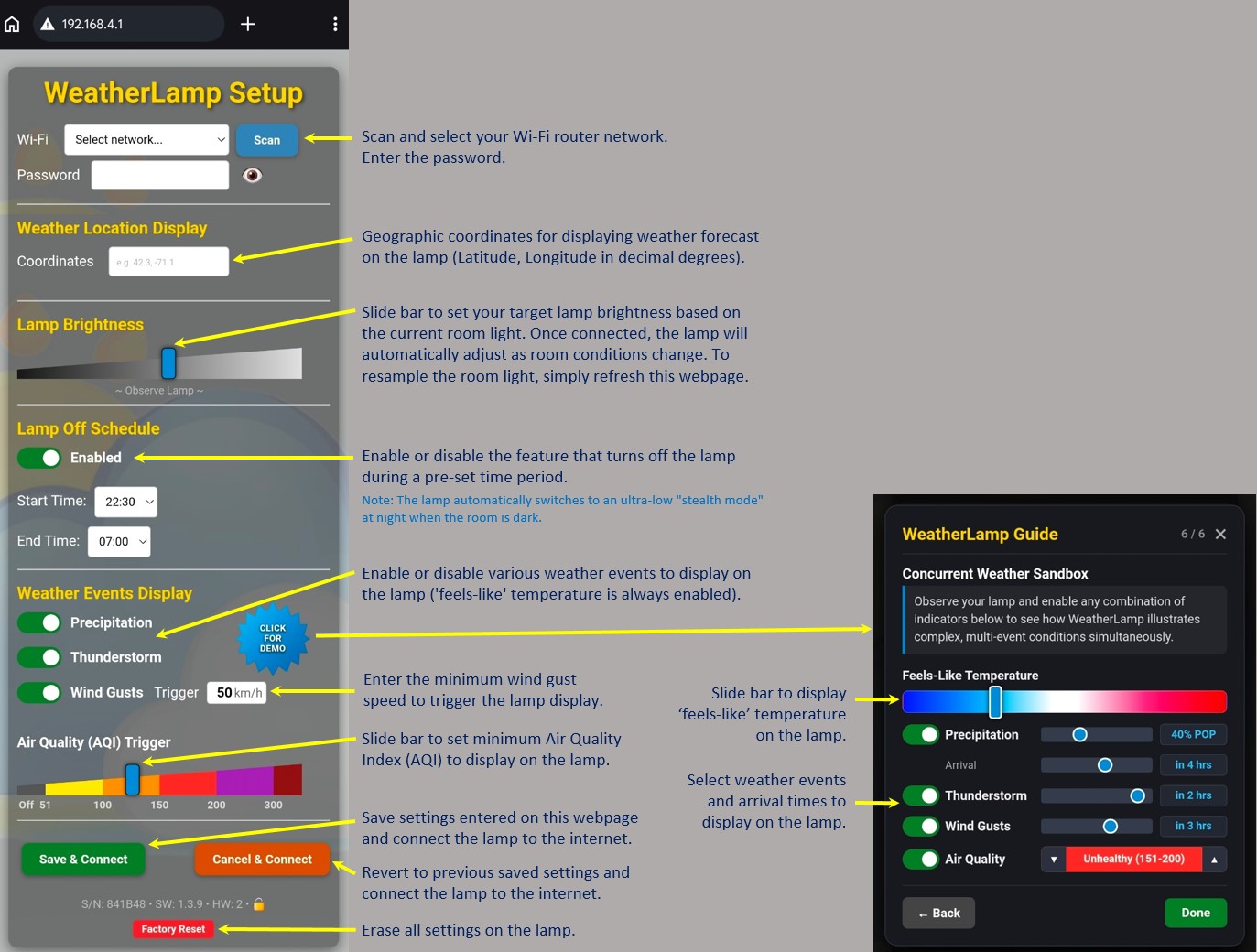
- WeatherLamp is in setup mode when it flashes white twice.
- To enter setup mode at any time, quickly unplug and replug 3 times.
- Connect to the “WeatherLamp Setup” Wi-Fi network.
- Allow connection without internet access.
- Point your web browser to “192.168.4.1” or use the Device Setup link to transfer map based location coordinates.
- Try the Demo on the setup page to preview how the different weather displays look on your lamp.
×
![]()